


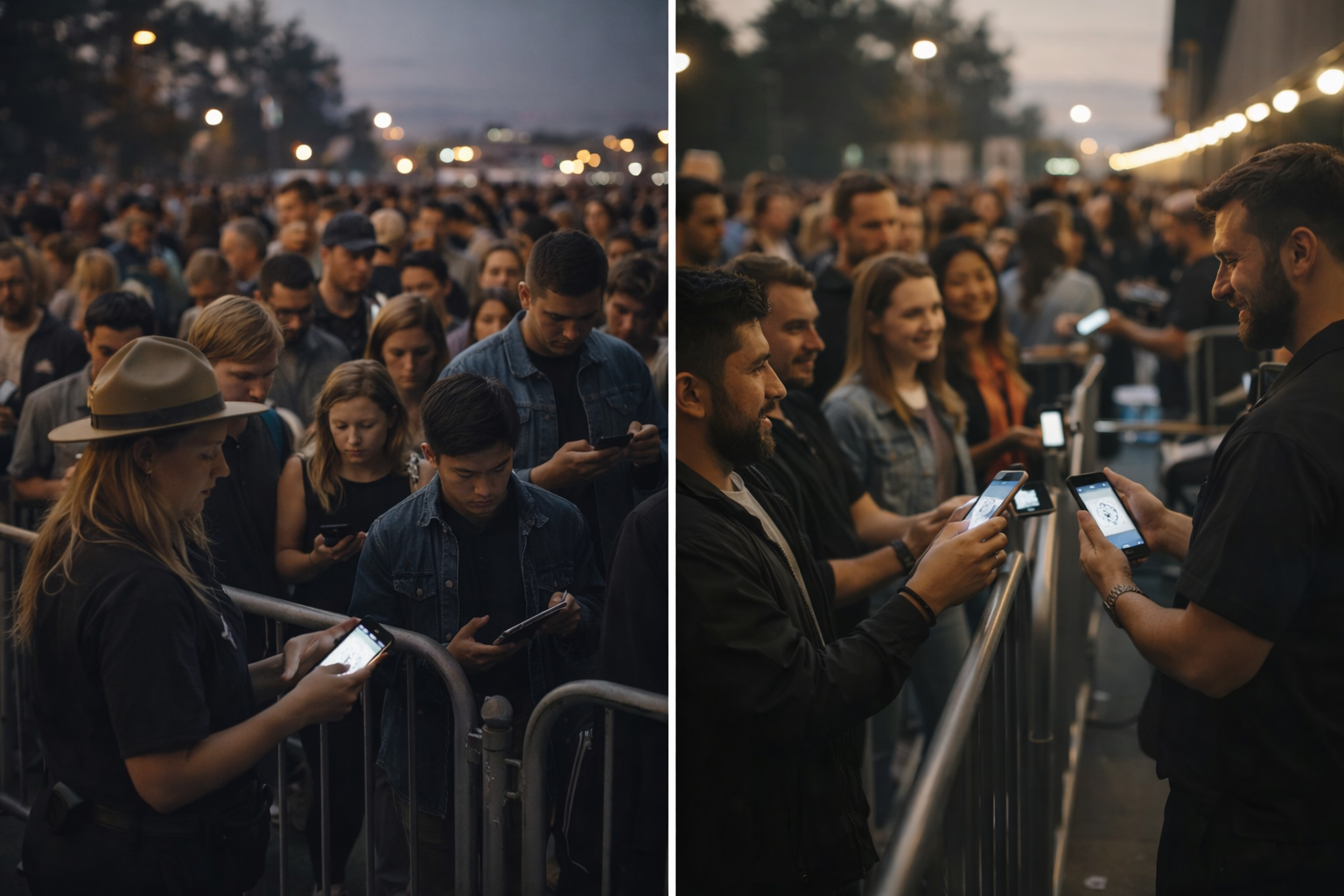
The show is tonight. You've sold 3,000 tickets. The talent is confirmed, the venue is set, production is ready.
Now comes the part that actually determines whether attendees walk away saying "that was amazing" or "never again": the next 6 hours of event day operations.
Everything that can go wrong will surface at the door. Attendees who can't find their tickets. Walk-ins who want to buy on the spot. VIP upgrades requested at the last second. Guest names misspelled during checkout. Lines backing up because scanning is slow. Support requests spiking at the exact moment you need to focus on getting people inside.
Most ticketing platforms are designed for the weeks before the event — marketing, sales, analytics. They treat event day as an afterthought. And that's exactly when everything breaks.
This is a checklist for running event day operations that don't break — from 24 hours before doors open to the final scan of the night.
Phase 1: 24 Hours Before Doors Open
The day before is when you set up the systems that prevent chaos the next day.
Verify Your Scanning Infrastructure
Your scanning setup is the single highest-throughput system on event day. If scanning is slow or unreliable, lines form. If lines form, energy dies before the event even starts.
What to confirm:
- Scanning devices are charged and tested. Every phone or tablet running your scanning app should have a full battery and a verified connection. TicketBlox's mobile scanning app works offline as well — critical for venues with spotty WiFi.
- Staff knows the scan workflow. Audible confirmation on successful scan, audible error on duplicate or invalid scan. No guesswork. TicketBlox scans tickets in under 10 milliseconds with clear audio feedback.
- Duplicate scan prevention is active. Double-scans cause confusion and slow everything down. TicketBlox automatically blocks duplicate scans, so your gate staff never has to make a judgment call.
If your event includes tickets sold through affiliate and street team channels, verify that those QR codes are in the system and will attribute correctly when scanned. Affiliate-distributed batch tickets should trace back to the specific affiliate on scan — that data matters for paying commissions and measuring channel performance.
Set Up Box Office for Walk-Ins and Upgrades
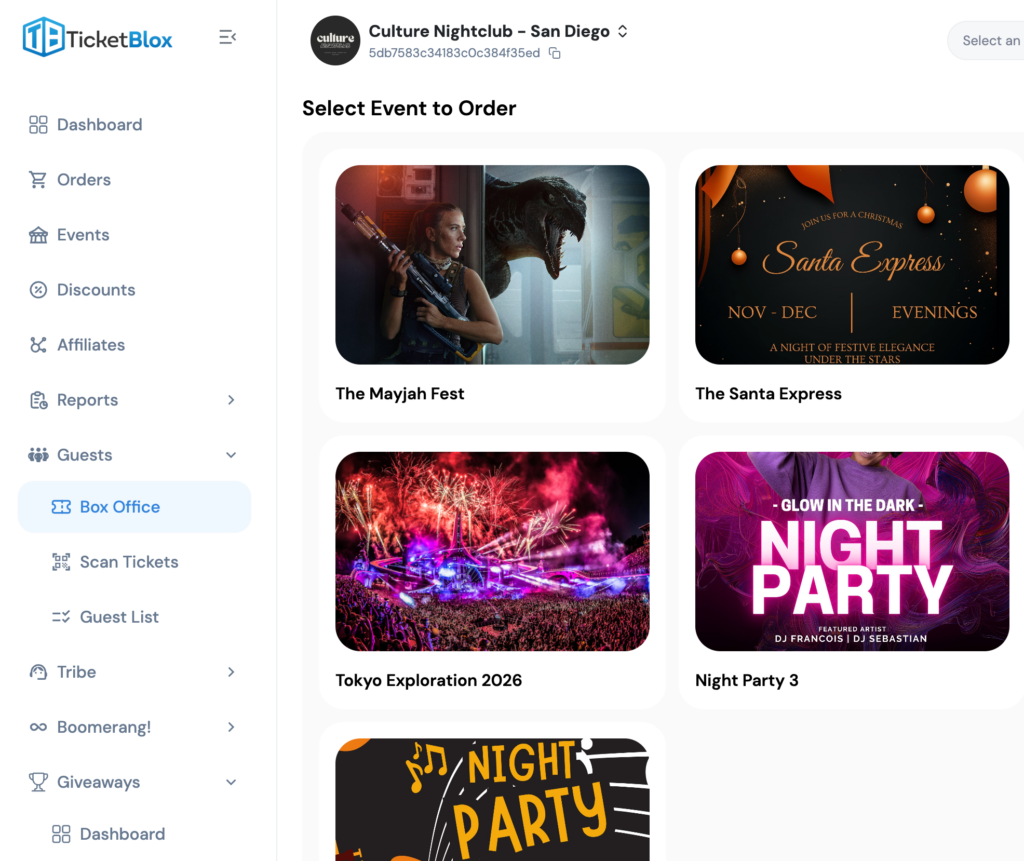
No matter how strong your pre-sales are, walk-ins happen. And they represent pure incremental revenue — if you have a system to capture them.
TicketBlox Box Office enables:
- Walk-in ticket purchases at the venue with no pre-registration required
- VIP and experience upgrades for attendees who decide at the door they want more
- Self-service QR code purchasing — attendees scan a code, buy on their phone, and get a scannable ticket instantly. No staff intervention required.
This is where event day becomes a revenue opportunity, not just a logistics exercise. The promoters who think about events as economic ecosystems understand that every touchpoint — including the door — is a monetization surface.
Set up your Box Office pricing in advance. If you're running all-in pricing where buyers see the total cost with no hidden fees, make sure walk-in pricing matches that transparency. Consistency builds trust, especially at the high-pressure moment of a door purchase.
Brief Your Team on Escalation Paths
Your gate staff will encounter problems they can't solve alone. Name misspellings. Disputed orders. Lost confirmations. The question isn't whether these will happen — it's whether your team knows the escalation path.
With TicketBlox, most of these resolve without escalation:
- Attendee lookup by name, email, or phone — gate staff can search the full attendee database instantly from the scanning app
- On-demand ticket resend — if an attendee deleted their email, staff can resend the ticket in seconds
- Order-level visibility — staff can see the full purchase context (ticket type, add-ons, buyer info) from the check-in interface
For anything that slips through, TicketBlox's automated AI customer support handles inbound calls and emails in real time — retrieving tickets, verifying identity via OTP, resending confirmations, and answering venue FAQs. That means your on-site team isn't pulled away from the gate to handle phone support.
The Merlin AI engine and latest platform tools can handle the kind of support volume spike that would normally require 3-4 additional staff members.
Phase 2: Doors Open — The First 60 Minutes
The first hour after doors open is the highest-pressure window. This is when 50-60% of your check-in volume hits. Everything needs to work, and work fast.
Scanning Speed Is Non-Negotiable
Slow scanning is the number one killer of event-day experience. If each scan takes 2-3 seconds (common on many platforms), a single gate can process roughly 20-30 people per minute. At 3,000 attendees across 3 gates, you're looking at 30-50 minutes just to clear the initial rush — assuming no problems.
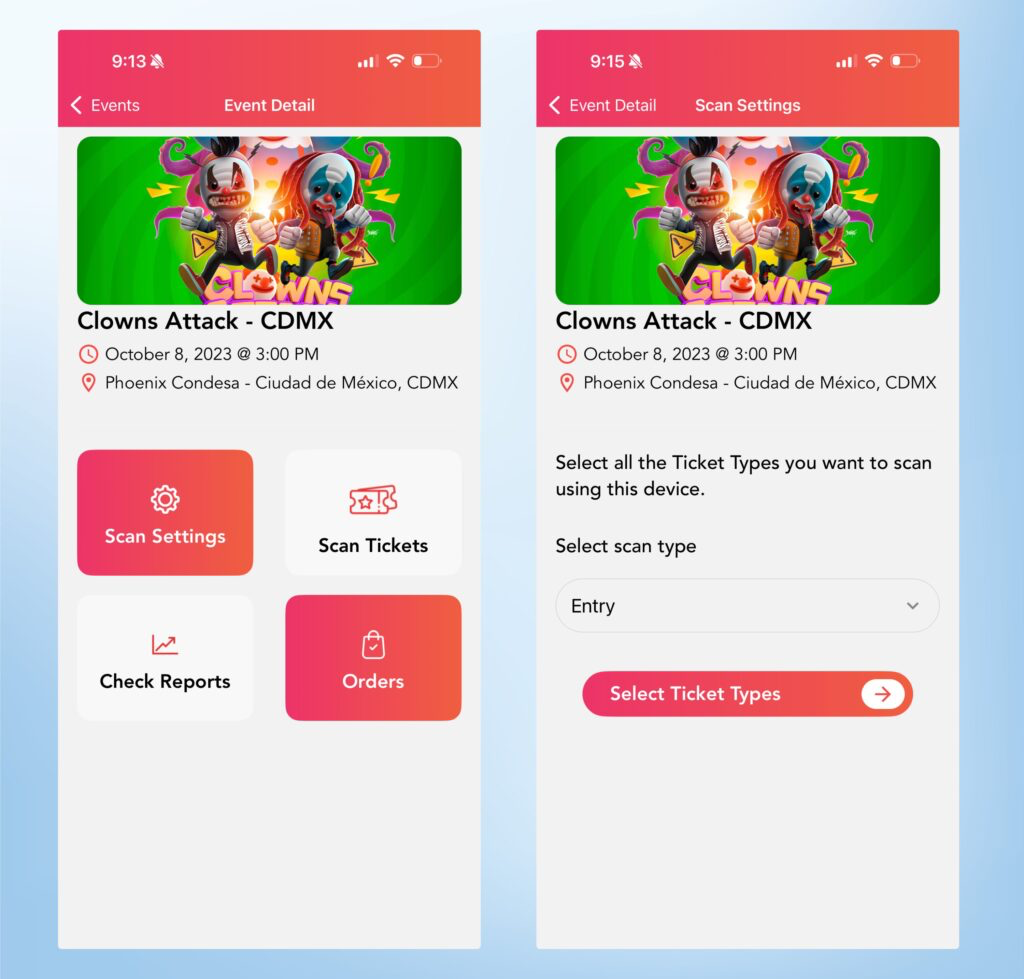
TicketBlox scans in under 10 milliseconds. That's not a typo. Sub-10ms means the bottleneck is the physical movement of people, not the scanning system. Your gates can process attendees as fast as they can walk through.
What this looks like in practice:
- Attendee shows QR code (phone screen or printed ticket)
- Staff scans — green light and audio confirmation in less than a blink
- If the ticket is a duplicate or invalid — red light and distinct error tone, immediately
- No waiting. No "processing..." screens. No second attempts.
Monitor Check-In Flow in Real Time
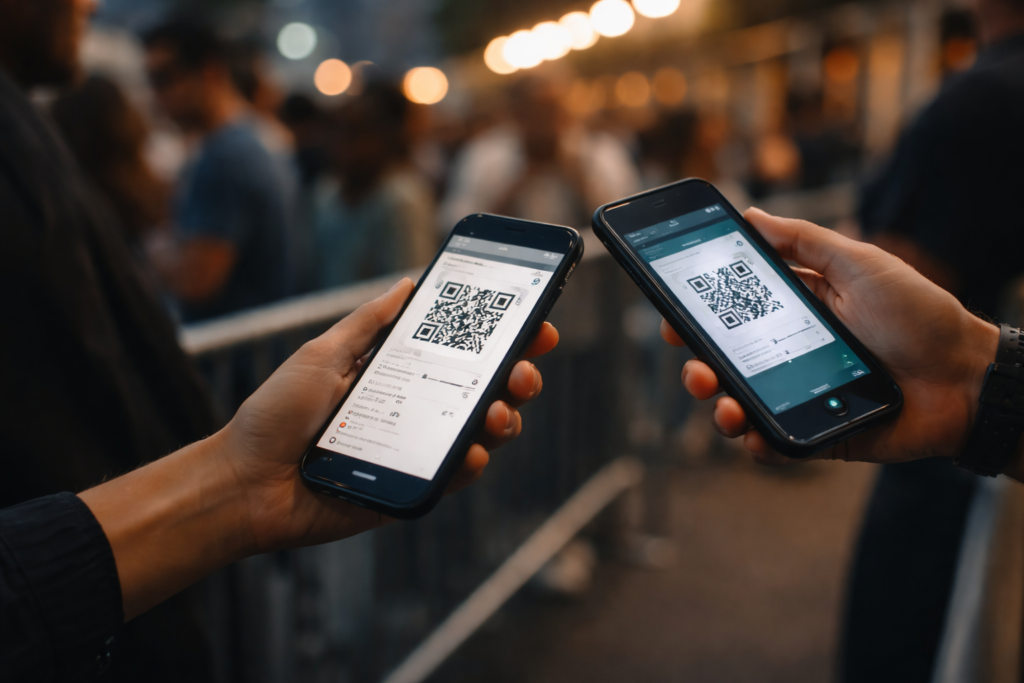
As attendees stream in, you need live visibility into how many people have checked in, which gates are moving fastest, and whether any ticket types are showing anomalies.
TicketBlox's real-time check-in dashboard updates with millisecond accuracy:
- Live attendance count — see exactly how many people are inside at any moment
- Search any attendee instantly — if someone calls the ops team about a specific guest, you can look them up in seconds
- Ticket type breakdown — see how many GA vs. VIP vs. comp tickets have checked in
- Reprint or resend on demand — if a ticket needs to be re-issued on the spot, it's one click
This dashboard is your command center. Promoters who are used to flying blind on event day consistently describe real-time visibility as the single most impactful operational upgrade.
Handle the "I Can't Find My Ticket" Problem
It happens every event. An attendee shows up, phone in hand, and can't find their QR code. They deleted the email. They can't remember which email they used. Their phone died and they don't have the screenshot.
Traditional approach: pull them out of line, ask them to call support, create a logjam while other attendees wait.
TicketBlox approach:
- Gate staff searches by name, email, or phone number on the scanning app
- System finds the order and verifies identity
- Staff resends the ticket via SMS or email — or checks them in directly from the lookup
Total time: under 30 seconds. No one leaves the line. No call center involved.
For attendees who resolve it themselves, TicketBlox's AI phone and email support handles the same flow automatically — ticket lookup, OTP verification, instant re-delivery — without involving a single staff member.
Phase 3: Mid-Event — Ongoing Operations
Once the initial rush clears, event day operations shift from throughput to management.
Capture Walk-In Revenue
Mid-event is when walk-in and upgrade revenue peaks. People who were on the fence show up. Attendees inside decide they want VIP. Friends of attendees text asking if they can still get in.
Your Box Office should remain active throughout the event:
- Door purchases for late arrivals
- VIP upgrades for attendees who see the VIP section and want in
- Merchandise bundles or add-on experiences if configured
When your ticketing platform also handles multi-party payment splitting, Box Office revenue automatically distributes between the promoter, venue, or any other stakeholders. No post-event reconciliation required.
Apple Wallet and Google Wallet Pass Management
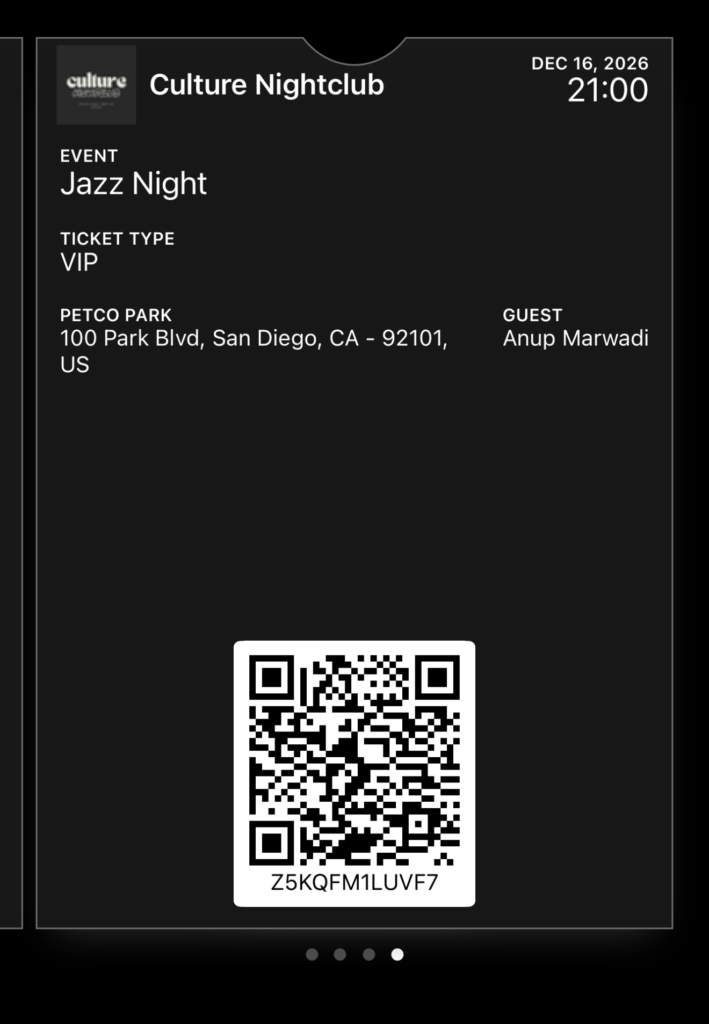
Digital wallet passes are increasingly how attendees store their tickets. TicketBlox generates Apple Wallet and Google Wallet passes that display:
- Correct event date and time (critical for multi-day festivals)
- Venue address with map link
- Direct link to customer support
- Attendee details for secondary verification if needed
For multi-day events like festivals, each pass reflects the correct day — Day 1, Day 2, or Combo. This eliminates confusion at the gate and prevents attendees from accidentally showing the wrong pass.
Collect Operational Data in Real Time
Event day is also a data collection opportunity that most promoters miss.
If you've set up ticket-level attendee questions during checkout — dietary preferences, accessibility needs, session selections — that data should be accessible to your on-site operations team in real time.
Knowing that 120 of your VIP ticket holders indicated vegetarian meal preferences isn't useful in a spreadsheet back at the office. It's useful when your catering team can see it on event day and adjust in real time.
Phase 4: Post-Event — Close Out and Learn
The event is over. The last attendee has left. But event day operations aren't done.
Pull Your Check-In Report
Within minutes of the event ending, your check-in report should tell you:
- Total attendees checked in vs. tickets sold (your show rate)
- Check-in velocity by hour (when was the rush? when did it die down?)
- No-show analysis by ticket type (did GA no-show at a different rate than VIP?)
- Affiliate attribution (which affiliate channels drove attendees who actually showed up, not just bought tickets?)
TicketBlox Sense generates these reports automatically. You don't have to export CSVs and build pivot tables. The data is ready before you leave the venue.
Document What Worked and What Broke
Every event teaches you something. The question is whether you capture it.
Build a 5-minute post-event debrief:
- What was the peak check-in rate, and did we have enough gates?
- Did any ticket types create confusion at the door?
- How many walk-in/upgrade sales did Box Office generate?
- Were there any support escalations that could have been prevented?
- What would we change for next time?
This debrief, combined with your post-event survey data and check-in analytics, becomes the operational intelligence that makes your next event run tighter. The promoters who do this consistently are the ones who eventually make event-day look effortless — not because they got lucky, but because they iterated.
Case Study: TMR Events — One Love Festival
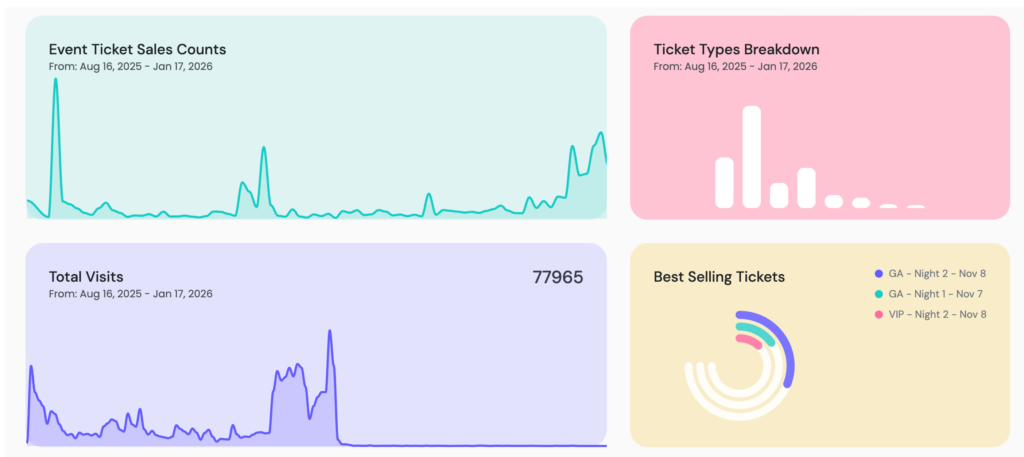
TMR Events used TicketBlox to power the One Love Festival, scanning over 6,000 tickets across a two-day event.
The operational challenge: Multiple ticket types — Day 1 passes, Day 2 passes, and two-day combo packages. Each type needed to scan correctly on the right day without cross-day validation errors. Walk-ins needed to purchase at the door. VIP upgrades needed to process without disrupting gate flow.
The TicketBlox setup:
- Box Office configured for door purchases and upgrades
- Guest list management for comp and media passes
- Mobile scanning app deployed across multiple gates
- Apple Wallet and Google Wallet passes generated per ticket type and day
- e-Tickets and PDF tickets supported as fallbacks
- Real-time check-in dashboard monitored by the ops team
The result: Lines moved fast. Multi-day pass validation worked without manual checks. Walk-in sales converted smoothly through Box Office. The ops team had live visibility into attendance across both days.
TMR Events continues to use TicketBlox for all their events — because once you've experienced event-day operations that actually work, you don't go back to platforms that treat event day as an afterthought.
See TMR Events' TicketBlox-powered events: tmrevents.ticketblox.com
Why Your Ticketing Platform Matters Most on Event Day
When promoters evaluate ticketing platforms, they typically compare pre-event features: event page design, pricing, payment processing, marketing tools.
But the real test is event day. That's when the gap between platforms built for sales and platforms built for operations becomes obvious.
A platform built for event day gives you:
- Scanning that's fast enough to never be the bottleneck
- Walk-in and upgrade revenue capture
- Real-time visibility into who's inside and how the event is flowing
- Attendee lookup and ticket re-issue without leaving the gate
- AI support that absorbs volume spikes without additional headcount
- Reporting that's ready before you leave the venue
TicketBlox was designed as an operating system for live events — not just a storefront with a scanner bolted on. Every feature in this checklist exists because a real promoter ran into a real problem on a real event day, and we built the solution.
Book a Demo → and see how TicketBlox turns event day from your highest-stress moment into your smoothest operation.
Frequently Asked Questions
What should an event day operations checklist include?
A complete event day operations checklist covers four phases: pre-event setup (scanning infrastructure, Box Office configuration, staff briefing), doors-open execution (scanning speed, real-time monitoring, attendee issue resolution), mid-event management (walk-in sales, VIP upgrades, wallet pass handling), and post-event closeout (check-in reports, no-show analysis, operational debrief). The checklist should also account for AI-powered support systems that handle attendee inquiries without pulling staff from the gate.
How fast should ticket scanning be at an event?
Industry-standard scanning ranges from 1-3 seconds per ticket on most platforms. TicketBlox scans tickets in under 10 milliseconds with audible success and error confirmation. At scale, the difference is significant: a 2-second scan at 3 gates processes ~90 people per minute, while sub-10ms scanning means the physical movement of attendees — not the technology — is the limiting factor.
How do you handle attendees who lost their tickets on event day?
The fastest approach is gate-level attendee lookup — staff searches by name, email, or phone on the scanning app, verifies the attendee's identity, and either checks them in directly or resends the ticket via SMS or email. This resolves in under 30 seconds without the attendee leaving the line. Automated AI phone and email support can handle the same flow for attendees who contact support before arriving.
Can you sell tickets at the venue door on event day?
Yes. A Box Office system enables walk-in ticket purchases, VIP upgrades, and add-on experiences at the venue. TicketBlox Box Office supports staff-assisted sales and self-service QR code purchasing, where attendees scan a code, buy on their phone, and receive a scannable ticket instantly. This turns walk-ins into revenue without disrupting gate flow.
How do you track event attendance in real time?
A real-time check-in dashboard should show live headcount, check-in velocity by hour, ticket type breakdown, and individual attendee lookup — all updating as scans happen. TicketBlox's dashboard updates with millisecond accuracy, giving operations teams a live command center view of how the event is flowing at any moment.
What's the best way to handle VIP upgrades at an event?
Configure VIP upgrade pricing in your Box Office system before the event. On event day, attendees can upgrade at a staffed Box Office station or via self-service QR code purchase. The upgrade should generate a new scannable ticket immediately so the attendee can enter the VIP area without delay. Pricing should be consistent with your pre-event upgrade offers to avoid confusion.